Can I change the Baseline View formatting?
The “ST Add/Show” menu Baseline View option gets its formatting from the currently applied color palette. Although, the Baseline View endpoint shapes are currently fixed as triangles, you can use a custom color palette to change the Line Format to get different looks.
Use the “ST Manage/Palette” option to define a new palette. Give the palette a name, for example “Baseline”. In the “Baseline” section of the custom color palette, edit the “Line Format” as shown below:
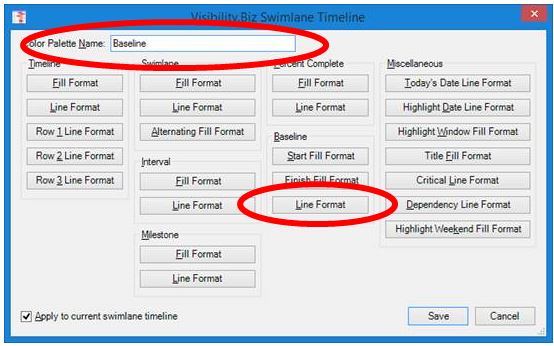
You can, for example, change the Line Color to “Red”, and change the Line Weight to a larger size like “2.5”, and then change the Line Pattern to “Solid”. When you hit OK to apply your custom color palette, you will notice that the baseline view goes from this default view:
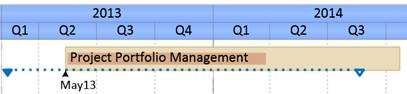
To this:
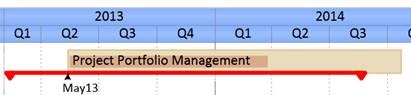
Now you can use the “Swimlane Timeline/Color Palette” option to change between the default “Primary” palette, and the new created custom “Baseline” palette.
BTW, if you would like to see the Baseline Start/Finish actual dates, then you can use the “Swimlane Timeline/Date Marker” option to show them.