• Home
  • Buying
  • Download
  • Support
  • Examples

Call us toll free (952) 223-1293

info@visibility.biz
Visibility.biz Visibility.biz Visibility.biz Visibility.biz
  • Home
  • Buying
  • Download
  • Support
  • Examples

Does the Windows Region Date Format matter?

Does the Windows Region Date Format matter?

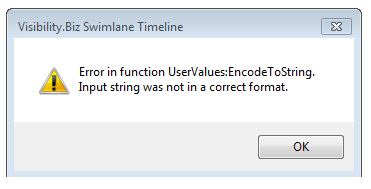
The Swimlane Timeline expects that the Windows OS date format is set to a format that has a 4-digit year setting (yyyy).  If you change it to some other setting, for example a 2-digit year setting (yy), then you could get the following error when you launch the Swimlane Timeline:
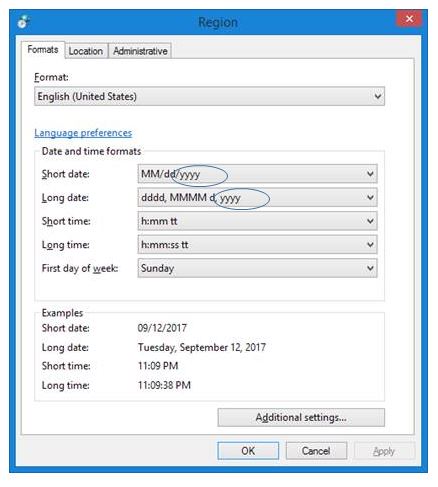
Check in your “Control Panel\Clock, Language, and Region\Region” option and verify that your Short date and Long date settings have the default 4-digit year (yyyy) format as shown below:
Share

Search

Recent Posts

  • How can I use a custom task text field (e.g., Text23) instead of the default “Name” field as my task label?
  • The Swimlane Timeline menus are no longer showing in Visio. How can I fix this?
  • How can I change the default width of the swimlane title area?
  • How do I start the Swimlane Timeline from within Visio?

Quick Connect


About us

Visibility.biz is an award-winning consulting group with leading experts on Microsoft® Office Visio® offering products and consulting services to help organizations best leverage their Visio investment.

Get in Touch

  • Visibility.biz
  • 4666 Slater Road, Eagan, MN 55122
  • (952) 223-1293
  • info@visibility.biz

© 2026 · Visibility.biz

  • Home
  • Buying
  • Download
  • Support
  • Examples